
DevOps Roadmap -- Part 12: Complete DevOps Project
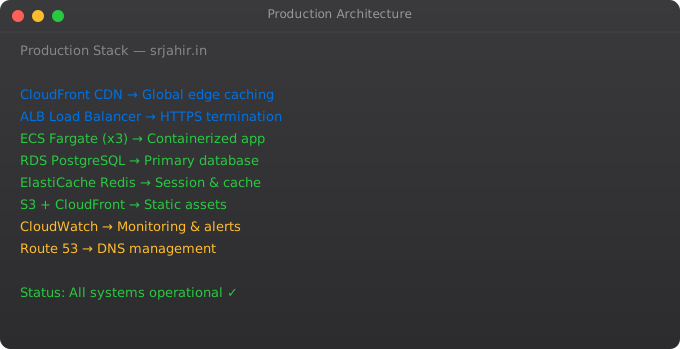
This final part ties together everything from the series. We will build a complete, professional DevOps setup for a Python Flask API: containerised with Docker, tested in CI, deployed to Kubernetes, infrastructure provisioned with Terraform, and monitored with Prometheus and Grafana. This is a real portfolio project you can show in interviews.
Project Architecture
GitHub Repository
     |
     | (push to main)
     v
GitHub Actions CI/CD
     |-- Run pytest
     |-- Build Docker image
     |-- Push to Amazon ECR
     |-- Update Kubernetes deployment
     v
Kubernetes Cluster (EKS or local)
     |-- myapp Deployment (3 replicas)
     |-- myapp Service (ClusterIP)
     |-- myapp Ingress (HTTPS via nginx-ingress)
     |-- Prometheus scraping /metrics
     |-- Grafana dashboards
     v
Terraform-managed infrastructure
     |-- VPC, subnets
     |-- EKS cluster
     |-- ECR registry
     |-- RDS PostgreSQL
The Application
from flask import Flask, jsonify
from prometheus_flask_exporter import PrometheusMetrics

app = Flask(__name__)
metrics = PrometheusMetrics(app)

@app.route("/health")
@metrics.do_not_track()
def health():
    return jsonify({"status": "healthy", "version": "1.0.0"})

@app.route("/api/users")
def get_users():
    return jsonify({"users": ["suraj", "raj", "priya"]})

if __name__ == "__main__":
    app.run(host="0.0.0.0", port=8000)
Dockerfile
FROM python:3.11-slim AS builder
WORKDIR /build
COPY requirements.txt .
RUN pip wheel --no-cache-dir --wheel-dir /wheels -r requirements.txt

FROM python:3.11-slim
WORKDIR /app
COPY --from=builder /wheels /wheels
RUN pip install --no-cache --no-index --find-links=/wheels /wheels/*
RUN useradd -m -u 1000 appuser && chown -R appuser /app
USER appuser
COPY --chown=appuser:appuser . .
EXPOSE 8000
CMD ["gunicorn", "app:app", "--bind", "0.0.0.0:8000", "--workers", "4"]
GitHub Actions CI/CD
name: Deploy

on:
  push:
    branches: [main]

jobs:
  test-build-deploy:
    runs-on: ubuntu-latest
    steps:
      - uses: actions/checkout@v4

      - name: Run tests
        run: |
          pip install -r requirements.txt
          pytest tests/ -v

      - name: Configure AWS
        uses: aws-actions/configure-aws-credentials@v4
        with:
          aws-access-key-id: ${{ secrets.AWS_ACCESS_KEY_ID }}
          aws-secret-access-key: ${{ secrets.AWS_SECRET_ACCESS_KEY }}
          aws-region: us-east-1

      - name: Build and push to ECR
        env:
          ECR_REGISTRY: ${{ steps.login-ecr.outputs.registry }}
        run: |
          docker build -t $ECR_REGISTRY/myapp:${{ github.sha }} .
          docker push $ECR_REGISTRY/myapp:${{ github.sha }}

      - name: Deploy to Kubernetes
        run: |
          aws eks update-kubeconfig --name production-cluster
          kubectl set image deployment/myapp             myapp=$ECR_REGISTRY/myapp:${{ github.sha }}
          kubectl rollout status deployment/myapp
Terraform for EKS
module "eks" {
  source  = "terraform-aws-modules/eks/aws"
  version = "~> 19.0"

  cluster_name    = "production-cluster"
  cluster_version = "1.28"
  vpc_id          = module.vpc.vpc_id
  subnet_ids      = module.vpc.private_subnets

  eks_managed_node_groups = {
    general = {
      instance_types = ["t3.medium"]
      min_size       = 2
      max_size       = 10
      desired_size   = 3
    }
  }
}
Frequently Asked Questions
Do I need all of these tools for a small project?
No. Start simple. A small project can run on a single EC2 instance with Docker Compose, a basic GitHub Actions pipeline, and CloudWatch for monitoring. Add complexity only when you genuinely need it. This series shows the full production stack -- adopt pieces as your needs grow.
How long would it take to set up this full stack?
With the knowledge from this series, setting up the full CI/CD + Kubernetes + Terraform stack takes 1-2 weeks for an experienced DevOps engineer. For a learner, 2-4 weeks to understand all the pieces and make it work correctly.
How do I learn all this if I am a beginner?
Follow the series in order. Set up each component locally before moving to the cloud. Use kind for local Kubernetes. Use LocalStack for local AWS. Build each piece incrementally. Do not try to set up the entire stack on day one.
What should I add to my DevOps portfolio?
GitHub repos with working CI/CD pipelines. A containerised application with Kubernetes manifests. Terraform code that provisions real infrastructure. A blog post or README documenting what you built and why. This series gives you everything you need to build all of these.
What is the next step after completing this series?
Get hands-on with the AWS Solutions Architect Associate certification. Build a real project from scratch using these skills. Contribute to open-source DevOps tools. Practice on platforms like KodeKloud, A Cloud Guru, or the Linux Foundation training.
You have completed the full DevOps Roadmap series. From understanding what DevOps means to building a complete production deployment pipeline. Check out the Kubernetes series and the Docker series to go deeper on those specific tools.
Key takeaways
- The capstone weaves Git, CI/CD, IaC, containers, orchestration, monitoring, and security into one end-to-end pipeline. This is what "DevOps engineer" actually looks like in practice.
- If you can build and explain this project, you'll be well above the line in DevOps interviews. Most candidates can recite tools; few can wire them together.
- DevOps is a moving target — the principles are stable but the tools rotate every 2-3 years. Stay curious, but don't chase every shiny thing.
- From here, branch out: SRE if you love reliability, platform engineering if you love internal tools, security if you love hard problems.
Adding Observability to the Project
from flask import Flask
from prometheus_flask_exporter import PrometheusMetrics
import logging
import structlog

app = Flask(__name__)
metrics = PrometheusMetrics(app)

# Structured logging for log aggregation
structlog.configure(
    processors=[
        structlog.processors.TimeStamper(fmt="iso"),
        structlog.processors.JSONRenderer()
    ]
)
logger = structlog.get_logger()

@app.route("/api/orders", methods=["POST"])
@metrics.counter("orders_created_total", "Orders created")
def create_order():
    logger.info("order_received", user_id=request.json.get("user_id"))
    # ... business logic
    return jsonify({"status": "created"}), 201

# Custom gauge metric
active_connections = metrics.gauge(
    "active_database_connections", "Active DB connections"
)

@app.before_request
def before():
    active_connections.inc()

@app.teardown_request
def after(e=None):
    active_connections.dec()
Production Readiness Checklist
# Code quality
[ ] All tests pass (pytest --cov=src tests/)
[ ] Security scan clean (bandit, trivy)
[ ] Dependency vulnerabilities checked (pip-audit)
[ ] Secrets not in code or images (gitleaks scan)

# Infrastructure
[ ] Resources deployed via Terraform (not manually)
[ ] Multi-AZ database (RDS Multi-AZ enabled)
[ ] Auto Scaling configured (min 2 instances across 2 AZs)
[ ] Backup configured (RDS automated backups, S3 versioning)

# Monitoring
[ ] Health check endpoint returns 200 consistently
[ ] Application logs shipping to CloudWatch
[ ] CPU/Memory alarms configured
[ ] Error rate alarm configured
[ ] On-call escalation path defined

# Security
[ ] IAM roles used (no access keys in EC2)
[ ] Security groups follow least privilege
[ ] SSL certificate installed and auto-renewing
[ ] WAF configured for public endpoints