
AWS Linux Tutorial -- Part 12: Deploy a Real App on AWS
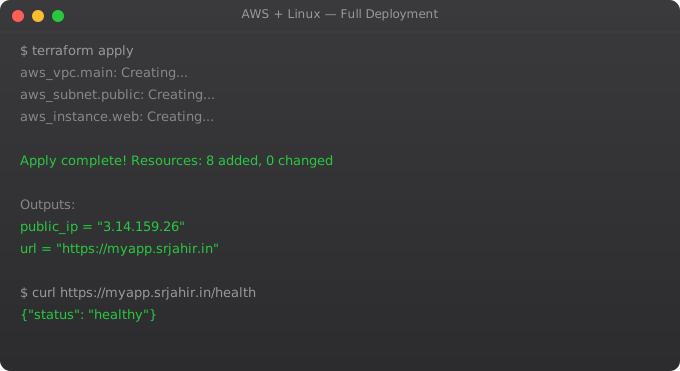
This final part brings together every skill from this series. We deploy a real Python Flask application with a PostgreSQL database on AWS, configure Nginx as a reverse proxy with HTTPS, set up CloudWatch monitoring, and make the architecture production-ready. This is the complete cloud engineering workflow.
Architecture Overview
Internet
   |
   v
Route 53 (DNS: myapp.example.com)
   |
   v
Application Load Balancer (HTTPS, port 443)
   |
   v
EC2 Instance (Ubuntu 22.04)
  Nginx (port 80, reverse proxy)
     |
     v
  Gunicorn (port 8000, Python WSGI)
     |
     v
  Flask Application
   |           |
   v           v
 RDS          S3 (file uploads)
 (PostgreSQL)
Launch and Configure EC2
#!/bin/bash
# run as: sudo bash setup.sh

apt update && apt upgrade -y
apt install -y nginx python3-pip python3-venv postgresql-client

# Create app user
useradd -m -s /bin/bash appuser

# Set up application
mkdir -p /opt/myapp
chown appuser:appuser /opt/myapp

# Install Python dependencies
cd /opt/myapp
python3 -m venv venv
source venv/bin/activate
pip install flask gunicorn psycopg2-binary boto3

# Create systemd service
cat > /etc/systemd/system/myapp.service << EOF
[Unit]
Description=My Flask App
After=network.target

[Service]
User=appuser
WorkingDirectory=/opt/myapp
ExecStart=/opt/myapp/venv/bin/gunicorn app:app --bind 127.0.0.1:8000 --workers 3
Restart=always
EnvironmentFile=/opt/myapp/.env

[Install]
WantedBy=multi-user.target
EOF

systemctl daemon-reload
systemctl enable myapp
RDS PostgreSQL Setup
aws rds create-db-instance \
  --db-instance-identifier myapp-db \
  --db-instance-class db.t3.micro \
  --engine postgres \
  --engine-version 15.4 \
  --master-username appuser \
  --master-user-password "$DB_PASSWORD" \
  --allocated-storage 20 \
  --storage-type gp3 \
  --db-subnet-group-name my-db-subnet-group \
  --vpc-security-group-ids sg-database \
  --no-publicly-accessible

# Wait for it to become available (5-10 minutes)
aws rds wait db-instance-available --db-instance-identifier myapp-db

# Get the endpoint
aws rds describe-db-instances \
  --db-instance-identifier myapp-db \
  --query "DBInstances[0].Endpoint.Address" \
  --output text
Nginx Configuration
server {
    listen 80;
    server_name myapp.example.com;

    location / {
        proxy_pass http://127.0.0.1:8000;
        proxy_set_header Host $host;
        proxy_set_header X-Real-IP $remote_addr;
        proxy_set_header X-Forwarded-For $proxy_add_x_forwarded_for;
        proxy_set_header X-Forwarded-Proto $scheme;
        proxy_connect_timeout 10;
        proxy_read_timeout 60;
    }

    access_log /var/log/nginx/myapp-access.log;
    error_log  /var/log/nginx/myapp-error.log;
}

# Enable site and get SSL
sudo ln -s /etc/nginx/sites-available/myapp /etc/nginx/sites-enabled/
sudo certbot --nginx -d myapp.example.com
Environment Configuration
DATABASE_URL=postgresql://appuser:password@myapp-db.abc123.ap-south-1.rds.amazonaws.com/myapp
SECRET_KEY=your-secret-key-here
S3_BUCKET=myapp-uploads
AWS_DEFAULT_REGION=ap-south-1
FLASK_ENV=production
PORT=8000

# Keep this file secure
chown appuser:appuser /opt/myapp/.env
chmod 600 /opt/myapp/.env
Frequently Asked Questions
How do I handle the database connection in Flask?
Use SQLAlchemy with the DATABASE_URL environment variable: db = SQLAlchemy(app). Set SQLALCHEMY_DATABASE_URI = os.environ.get("DATABASE_URL"). Use connection pooling (flask_sqlalchemy handles this). Set pool_pre_ping=True to reconnect after idle periods.
How do I zero-downtime deploy new versions?
Rolling deployment: update one instance at a time behind a load balancer. Blue-green: launch new servers with new code, switch traffic, terminate old. For single-server: systemctl reload does not stop serving. Use gunicorn --preload and send SIGHUP to reload workers without dropping connections.
How do I scale this beyond one server?
Add a load balancer (ALB). Launch multiple EC2 instances in different AZs. Move sessions to ElastiCache Redis. Store uploads in S3 (not local disk). Use RDS Multi-AZ for database failover. Enable Auto Scaling to adjust instance count based on load.
How do I back up the RDS database?
RDS automated backups are enabled by default (7-day retention). Create manual snapshots: aws rds create-db-snapshot. Export to S3: aws rds export-snapshot-to-s3. For point-in-time recovery, use the automated backups -- AWS keeps transaction logs.
What monitoring should I set up?
CloudWatch alarms: EC2 CPU, RDS CPU, RDS FreeStorageSpace, ALB 5xx errors. Application metrics: response time, error rate (instrument with CloudWatch custom metrics). Log shipping: CloudWatch agent sends application logs to CloudWatch Log Groups. Set up a dashboard showing all key metrics.
You have completed the full AWS Linux series. You can now deploy and manage real applications on AWS. Combine this with the DevOps Roadmap and Kubernetes series to build a complete cloud engineering skillset.
Key takeaways
- The capstone ties together VPC, EC2, RDS, S3, IAM, monitoring, and DR into one production-shaped project. Treat it like a real system — don't skip the boring parts.
- By this point you should be comfortable in both the AWS console and the CLI. CLI for repeatable work, console for exploration.
- Pair this with the DevOps roadmap series — CI/CD + IaC + this AWS knowledge = an employable cloud/DevOps engineer.
- Next step: take an AWS certification if you want the credential, but don't mistake the certification for the skill. Practice is what makes you good.
Blue-Green Deployment on AWS
#!/bin/bash
# Blue-Green deployment strategy
# Blue = current production, Green = new version

ALB_ARN="arn:aws:elasticloadbalancing:..."
BLUE_TG="arn:aws:elasticloadbalancing:...:targetgroup/blue-tg/..."
GREEN_TG="arn:aws:elasticloadbalancing:...:targetgroup/green-tg/..."

log() { echo "[$(date)] $1"; }

# 1. Deploy new version to Green target group (not live)
log "Deploying new version to Green..."
aws ecs update-service   --cluster production   --service myapp-green   --task-definition myapp:$NEW_REVISION

# 2. Wait for Green to be healthy
aws ecs wait services-stable --cluster production --services myapp-green
log "Green is stable, running health checks..."

# 3. Smoke test Green (direct health check before switching)
GREEN_IP=$(aws ec2 describe-instances --filters "Name=tag:Group,Values=green"   --query "Reservations[0].Instances[0].PrivateIpAddress" --output text)

for i in $(seq 1 5); do
    if curl -sf "http://${GREEN_IP}:8000/health" > /dev/null; then
        log "Health check $i/5 passed"
    else
        log "ERROR: Green health check failed"
        exit 1
    fi
    sleep 2
done

# 4. Switch ALB to Green (instant, zero downtime)
log "Switching traffic to Green..."
aws elbv2 modify-listener   --listener-arn $LISTENER_ARN   --default-actions Type=forward,TargetGroupArn=$GREEN_TG

log "Traffic switched to Green. Monitoring for 5 minutes..."
sleep 300

# 5. Verify error rate (if too high, rollback)
ERROR_RATE=$(aws cloudwatch get-metric-statistics   --metric-name HTTPCode_Target_5XX_Count   --namespace AWS/ApplicationELB   --statistics Sum --period 300   --start-time $(date -d "-5 minutes" -u +%Y-%m-%dT%H:%M:%S)   --end-time $(date -u +%Y-%m-%dT%H:%M:%S)   --query "Datapoints[0].Sum" --output text)

if [ "$ERROR_RATE" -gt "50" ]; then
    log "ERROR: High error rate. Rolling back to Blue!"
    aws elbv2 modify-listener --listener-arn $LISTENER_ARN       --default-actions Type=forward,TargetGroupArn=$BLUE_TG
    exit 1
fi

log "Deployment successful! Green is now production."
Auto Scaling Policy Configuration
# Create Auto Scaling Group
aws autoscaling create-auto-scaling-group   --auto-scaling-group-name myapp-asg   --launch-template LaunchTemplateName=myapp-lt,Version='$Latest'   --min-size 2   --max-size 20   --desired-capacity 3   --vpc-zone-identifier "subnet-a,subnet-b"   --target-group-arns $TARGET_GROUP_ARN

# Target tracking policy (keeps CPU at 60%)
aws autoscaling put-scaling-policy   --auto-scaling-group-name myapp-asg   --policy-name cpu-target-tracking   --policy-type TargetTrackingScaling   --target-tracking-configuration '{
    "TargetValue": 60.0,
    "PredefinedMetricSpecification": {
      "PredefinedMetricType": "ASGAverageCPUUtilization"
    },
    "ScaleInCooldown": 300,
    "ScaleOutCooldown": 60
  }'