
Python Full Tutorial -- Part 9: Error Handling
Programs that never fail are programs that never run in production. Real applications encounter network timeouts, malformed data, missing files, invalid user input, and database errors. Writing code that handles these failures gracefully is what separates programs that crash users from programs that recover and explain what went wrong.
Basic try/except
try:
    number = int(input("Enter a number: "))
    result = 100 / number
    print(f"Result: {result}")
except ValueError:
    print("Please enter a valid integer")
except ZeroDivisionError:
    print("Cannot divide by zero")
except Exception as e:
    print(f"Unexpected error: {type(e).__name__}: {e}")
try/except/else/finally
import json

def load_config(filepath):
    try:
        with open(filepath) as f:
            data = json.load(f)
    except FileNotFoundError:
        print(f"Config not found: {filepath}")
        return {}
    except json.JSONDecodeError as e:
        print(f"Invalid JSON: {e}")
        return {}
    else:
        # Runs only if no exception occurred
        print("Config loaded successfully")
        return data
    finally:
        # Always runs, exception or not
        print("Load attempt complete")
Common Python Exceptions
ValueError       # Wrong value: int("hello")
TypeError        # Wrong type: "2" + 2
IndexError       # Index out of range: [1,2,3][10]
KeyError         # Missing dict key: {}["key"]
AttributeError   # No such attribute: None.upper()
FileNotFoundError# File does not exist
ZeroDivisionError# Division by zero
ImportError      # Module not found
TimeoutError     # Operation timed out
Custom Exceptions
class ValidationError(Exception):
    def __init__(self, field, message):
        self.field = field
        super().__init__(f"Field '{field}': {message}")

class UserNotFoundError(Exception):
    def __init__(self, user_id):
        super().__init__(f"User {user_id} not found")

def validate_age(age):
    if not isinstance(age, int):
        raise ValidationError("age", "Must be an integer")
    if age < 0 or age > 150:
        raise ValidationError("age", f"Value {age} out of range")

try:
    validate_age(-5)
except ValidationError as e:
    print(f"Field: {e.field}")
    print(f"Error: {e}")
Defensive Patterns
import logging
import requests

logger = logging.getLogger(__name__)

def fetch_data(url, timeout=10):
    try:
        response = requests.get(url, timeout=timeout)
        response.raise_for_status()  # Raises for 4xx/5xx
        return response.json()
    except requests.Timeout:
        logger.error(f"Timeout fetching: {url}")
        return None
    except requests.HTTPError as e:
        logger.error(f"HTTP {e.response.status_code}: {url}")
        return None
    except Exception as e:
        logger.exception(f"Unexpected error")
        raise  # Re-raise unknown errors
Frequently Asked Questions
What is try/except/else/finally?
try: code that might fail. except: catches specific exceptions. else: runs only if no exception occurred. finally: always runs for cleanup. Use finally for closing files, connections.
How do I catch multiple exceptions?
Multiple except blocks, or one block: except (ValueError, TypeError) as e:. Use except Exception as e: as a last resort to catch anything. Never use bare except: without specifying the type.
How do I create custom exceptions?
class ValidationError(Exception): pass -- then raise ValidationError("message"). Add __init__ for custom attributes. Custom exceptions make error handling more specific and meaningful.
What is the difference between raise and re-raise?
raise creates a new exception. Inside except, bare raise re-raises the current exception with its original traceback. Use re-raise to log but not swallow unexpected errors.
Which exceptions should I catch?
Catch only exceptions you expect and can handle meaningfully. Let unexpected exceptions propagate -- they indicate bugs that need fixing, not runtime conditions to handle.
In Part 10, we cover modules and packages -- organising code and using Python's rich ecosystem of libraries.
Key takeaways
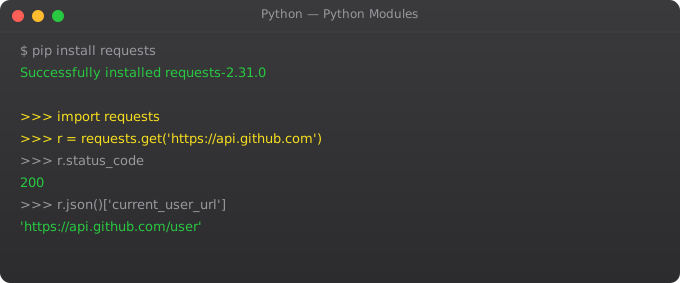
- `requests` is the standard HTTP library. For async, `httpx`. Avoid `urllib` for anything serious — too low-level for the gain.
- Always set timeouts on HTTP calls. No timeout = your script hangs forever on a slow API. I've debugged this in too many production systems.
- Retries with exponential backoff are mandatory for any external API. `tenacity` is a great library for this — don't roll your own.
- Treat API responses as untrusted: validate, parse, and fail clearly when the shape is wrong. Use `pydantic` for clean validation.
Context Managers for Custom Cleanup
from contextlib import contextmanager
import time

@contextmanager
def timer(label):
    """Context manager that times a block of code."""
    start = time.time()
    try:
        yield          # Code inside "with" block runs here
    finally:
        elapsed = time.time() - start
        print(f"{label}: {elapsed:.3f}s")

with timer("Database query"):
    time.sleep(0.1)  # Simulate slow query

@contextmanager
def temporary_directory():
    """Create and clean up a temp dir automatically."""
    import tempfile, shutil
    tmpdir = tempfile.mkdtemp()
    try:
        yield tmpdir
    finally:
        shutil.rmtree(tmpdir)

with temporary_directory() as tmpdir:
    print(f"Working in {tmpdir}")
    # ... do work ...
# tmpdir automatically deleted
Logging Best Practices
import logging

logging.basicConfig(
    level=logging.INFO,
    format="%(asctime)s - %(name)s - %(levelname)s - %(message)s",
    handlers=[
        logging.FileHandler("app.log"),
        logging.StreamHandler()       # Also print to console
    ]
)

logger = logging.getLogger(__name__)  # Name-based hierarchy

def process_payment(amount, user_id):
    logger.info("Processing payment", extra={"amount": amount, "user_id": user_id})
    try:
        result = charge_card(amount)
        logger.info("Payment successful", extra={"transaction_id": result.id})
    except PaymentError as e:
        logger.error("Payment failed", exc_info=True)  # Includes traceback
        raise
Exception Chaining and Groups (Python 3.11+)
# Exception chaining: preserve context
try:
    data = json.load(open("config.json"))
except FileNotFoundError as e:
    raise RuntimeError("Config not found -- did you run setup.py?") from e

# ExceptionGroup (Python 3.11+): handle multiple exceptions
try:
    async with asyncio.TaskGroup() as tg:
        t1 = tg.create_task(fetch_data("endpoint1"))
        t2 = tg.create_task(fetch_data("endpoint2"))
except* ConnectionError as eg:
    for exc in eg.exceptions:
        print(f"Connection failed: {exc}")
except* TimeoutError as eg:
    print(f"{len(eg.exceptions)} requests timed out")

# Suppress specific exceptions
from contextlib import suppress
with suppress(FileNotFoundError):
    os.remove("temp-file.txt")  # OK if file does not exist
Unit Testing Best Practices
import pytest
from unittest.mock import patch, MagicMock
from decimal import Decimal

# Test basic function
def test_calculate_tax_standard():
    from myapp.billing import calculate_tax
    result = calculate_tax(Decimal("1000.00"), rate=Decimal("0.18"))
    assert result == Decimal("180.00")

def test_calculate_tax_zero():
    from myapp.billing import calculate_tax
    result = calculate_tax(Decimal("0"), rate=Decimal("0.18"))
    assert result == Decimal("0")

# Parametrize for multiple test cases
@pytest.mark.parametrize("amount,rate,expected", [
    (Decimal("1000"), Decimal("0.18"), Decimal("180.00")),
    (Decimal("500"),  Decimal("0.05"), Decimal("25.00")),
    (Decimal("2500"), Decimal("0.12"), Decimal("300.00")),
])
def test_calculate_tax_parametrized(amount, rate, expected):
    from myapp.billing import calculate_tax
    assert calculate_tax(amount, rate) == expected

# Mock external dependencies
def test_send_invoice_calls_email():
    from myapp.billing import send_invoice
    with patch("myapp.billing.email_service") as mock_email:
        mock_email.send.return_value = True
        result = send_invoice(order_id=42, email="test@example.com")
        mock_email.send.assert_called_once_with(
            to="test@example.com",
            subject="Invoice #42"
        )
        assert result is True
Fixtures and Conftest
# conftest.py -- shared fixtures for all tests
import pytest

@pytest.fixture
def sample_user():
    return {"id": 1, "name": "Suraj", "email": "suraj@test.com"}

@pytest.fixture
def db_session():
    """Create test database session."""
    from myapp.database import create_test_db
    session = create_test_db()
    yield session           # Test runs here
    session.rollback()      # Cleanup after test
    session.close()

# Use in tests
def test_user_creation(db_session, sample_user):
    from myapp.models import User
    user = User(**sample_user)
    db_session.add(user)
    db_session.flush()
    assert user.id is not None