
Linux Full Tutorial -- Part 10: Environment Variables
Environment variables are how Linux processes receive configuration. Your PATH tells the shell where to find commands. DATABASE_URL tells your application how to connect to the database. AWS_ACCESS_KEY_ID gives the AWS CLI your credentials. Understanding how environment variables work, where to set them, and how they flow from shell to process is essential Linux knowledge.
Viewing Environment Variables
env                    # Show all environment variables
printenv               # Same as env
printenv PATH          # Show specific variable
echo $PATH             # Print variable value
echo $HOME             # Home directory
echo $USER             # Current username
echo $HOSTNAME         # Machine hostname
echo $SHELL            # Current shell
echo $PWD              # Current directory
echo $?                # Exit code of last command
echo $$                # Current process ID
Setting and Exporting Variables
# Set in current shell only
MY_VAR="hello"
echo $MY_VAR    # hello

# Export makes it available to child processes
export MY_VAR="hello"
export DATABASE_URL="postgresql://user:pass@localhost/mydb"
export PORT=8000

# Set and export in one step
export APP_ENV="production"

# Unset a variable
unset MY_VAR

# Set for single command only (no export needed)
DEBUG=true python3 app.py  # DEBUG only available to this command
The PATH Variable
echo $PATH
# /usr/local/bin:/usr/bin:/bin:/usr/local/sbin:/usr/sbin

# Add a directory to PATH
export PATH="$HOME/.local/bin:$PATH"   # Prepend (higher priority)
export PATH="$PATH:/usr/local/myapp"   # Append (lower priority)

# Which directory does a command come from?
which python3      # /usr/bin/python3
which pip3         # /usr/local/bin/pip3
type -a python3    # Shows all matches in PATH order
Configuration Files
# ~/.bashrc -- interactive non-login shells (most terminals)
# ~/.bash_profile or ~/.profile -- login shells (SSH sessions)
# /etc/environment -- system-wide, all users (simple KEY=VALUE format)
# /etc/profile.d/*.sh -- system-wide scripts

# Add to ~/.bashrc for permanent user settings:
echo 'export MY_VAR="value"' >> ~/.bashrc
echo 'export PATH="$HOME/.local/bin:$PATH"' >> ~/.bashrc

# Reload without logging out
source ~/.bashrc
. ~/.bashrc       # Same thing, shorter syntax

# System-wide environment (/etc/environment)
# Format: KEY=VALUE (no export, no $)
PATH="/usr/local/sbin:/usr/local/bin:/usr/sbin:/usr/bin"
LANG="en_US.UTF-8"
Environment Variables for Applications
# .env file (never commit to git)
DATABASE_URL=postgresql://user:pass@localhost/mydb
SECRET_KEY=your-secret-key-here
DEBUG=false
PORT=8000

# Load in bash script
set -a           # Mark all variables for export
source .env
set +a

# Or use export with each line
export $(grep -v "^#" .env | xargs)

# In systemd service -- add environment file
[Service]
EnvironmentFile=/home/ubuntu/myapp/.env
ExecStart=/usr/bin/python3 app.py
Frequently Asked Questions
What is the difference between .bashrc and .bash_profile?
.bashrc runs for interactive non-login shells (new terminal window, new tab). .bash_profile runs for login shells (SSH sessions, console login). Most desktop terminals start non-login shells. Best practice: put settings in .bashrc and source it from .bash_profile for consistency.
Why does export matter?
Without export, a variable only exists in the current shell. Child processes (scripts, programs you run) cannot see it. With export, the variable is passed to all child processes. Run env in your shell to see all exported variables.
How do I pass environment variables to Docker containers?
docker run -e VAR=value image. docker run --env-file .env image loads from a file. In docker-compose.yml: environment: - VAR=value or env_file: - .env. Never hardcode sensitive values -- always pass via environment variables.
How do I see what environment a process is using?
cat /proc/PID/environ | tr "\0" "\n" shows the environment of a running process. Replace PID with the actual process ID from ps aux. This is useful for debugging why an application cannot find its configuration.
What is the LANG and LC_ALL variable?
LANG and LC_ALL control locale settings -- character encoding, date formats, number formats, and language. LANG=en_US.UTF-8 is the standard for English systems. Set LC_ALL=C in scripts to force POSIX locale for consistent sorting and output regardless of the system locale.
In Part 11, we cover disk management -- understanding and managing storage on Linux servers.
Key takeaways
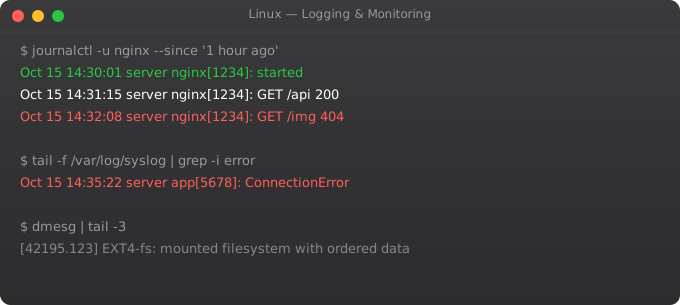
- Modern Linux uses systemd, which means `journalctl` is your log tool. `journalctl -u nginx`, `-f` to follow, `--since '1 hour ago'` to filter.
- Old-style logs live in `/var/log` — `syslog`, `auth.log`, `kern.log`. Worth knowing because not every system uses journald.
- `top`, `htop`, `iotop`, `iftop` — CPU, memory, disk, network. Learn one of each. `vmstat` and `iostat` for deeper looks.
- If you don't have monitoring set up, install it. `node_exporter` + Prometheus + Grafana takes an hour to set up and saves you weeks of pain.
Environment Variables in Docker and Kubernetes
# Docker: pass environment variables
docker run -e DATABASE_URL=postgresql://... myapp

# Docker: load from file
docker run --env-file .env myapp

# Docker Compose: environment section
services:
  myapp:
    image: myapp:latest
    environment:
      - DATABASE_URL=${DATABASE_URL}   # From host environment
      - APP_ENV=production              # Literal value
      - PORT=8000
    env_file:
      - .env.production

# Kubernetes: ConfigMap for non-sensitive config
apiVersion: v1
kind: ConfigMap
metadata:
  name: myapp-config
data:
  APP_ENV: production
  PORT: "8000"
  LOG_LEVEL: INFO

# Kubernetes: Secret for sensitive config
apiVersion: v1
kind: Secret
metadata:
  name: myapp-secrets
type: Opaque
data:
  DATABASE_PASSWORD: c2VjcmV0MTIz  # base64 encoded

# Use in deployment
env:
  - name: APP_ENV
    valueFrom:
      configMapKeyRef:
        name: myapp-config
        key: APP_ENV
  - name: DB_PASSWORD
    valueFrom:
      secretKeyRef:
        name: myapp-secrets
        key: DATABASE_PASSWORD
Debugging Environment Variable Issues
# Check environment of a running process
cat /proc/$(pgrep myapp)/environ | tr '' '
'

# Verify variable is set before using it
: "${DATABASE_URL:?DATABASE_URL must be set}"  # Exits with error if not set

# Variable substitution with defaults
DB_HOST="${DATABASE_HOST:-localhost}"
DB_PORT="${DATABASE_PORT:-5432}"

# Debug: show all environment variables sorted
env | sort

# Check if variable is exported (available to child processes)
export -p | grep MY_VAR

# Print a variable with surrounding context for debugging
echo "DATABASE_URL is: [${DATABASE_URL}]"  # Brackets show whitespace